To check daily assignment report, go to Report > Homework, click on Daily Assignment Report.
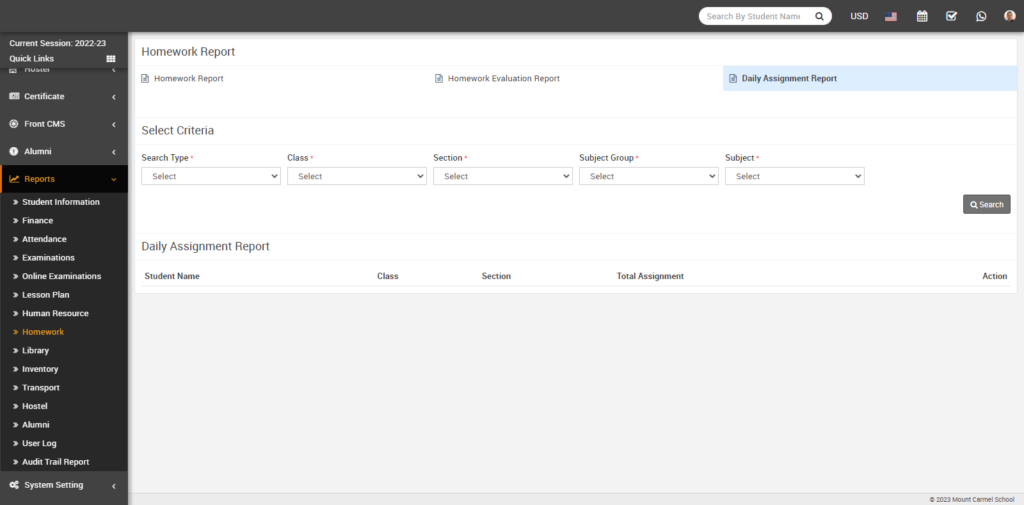
Now select the Search Type, Class, Section, Subject Group, Subject and click on the Search button. The daily assignment report will be show below.
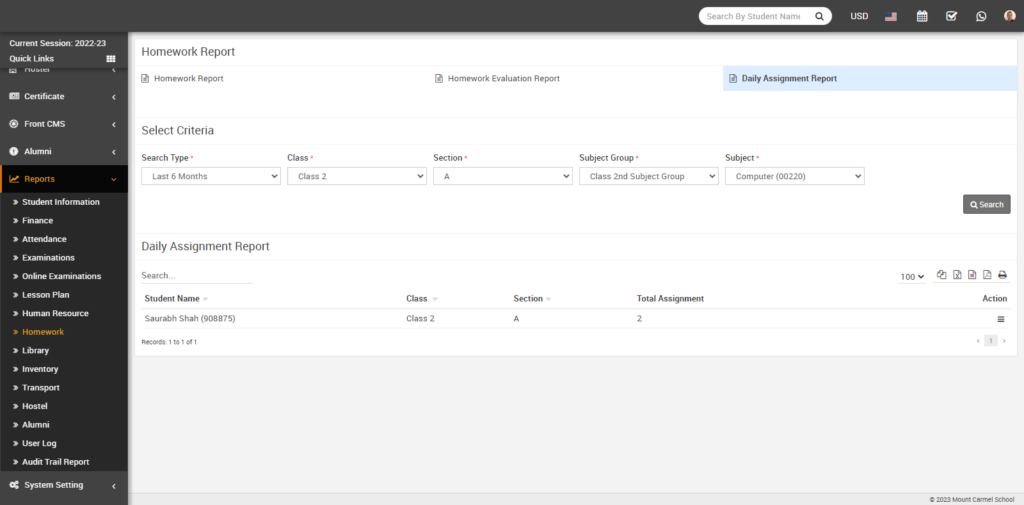
In this list you can view Student Name with his admission number, Class, Section and in Total Assignment, you can see that how much assignment assigned to the student.
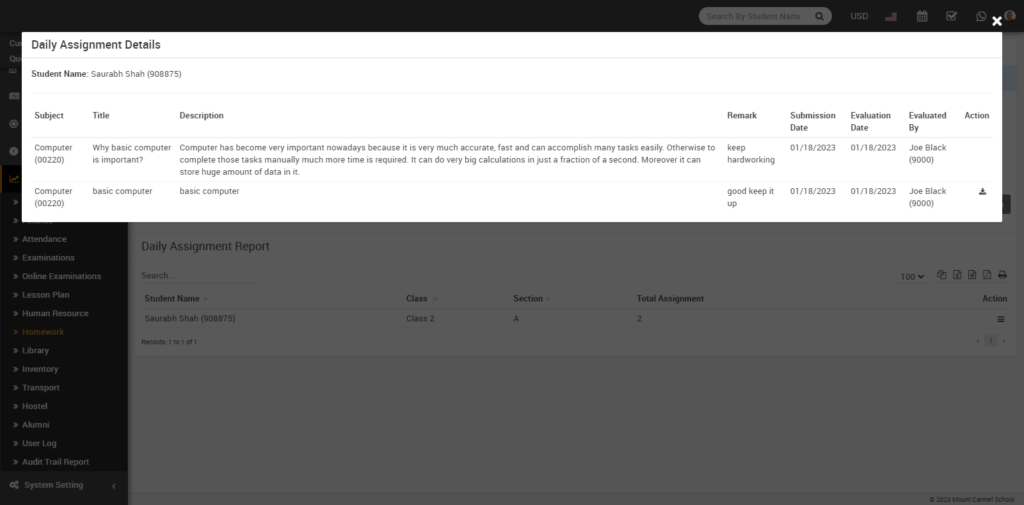
To view the Daily Assignment Report in Details, simply click on the view option showing in the Action column. The daily assignment detail model will be opened.

In this list you can view Student Name with his admission number, Class, Section and in Total Assignment, you can see that how much assignment assigned to the student.
To view the Daily Assignment Report in Details, simply click on the view option showing in the Action column. The daily assignment detail model will be opened.